
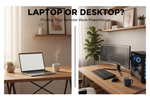
Laptop or Desktop? Choosing the Right Setup for Home Office Work
, by Admin Account, 3 min reading time
, by Admin Account, 3 min reading time

When remote and hybrid work became the norm, one of the first questions many people faced was surprisingly basic: should the home office run on a laptop or a desktop? It shapes everything from your monthly electricity bill to how comfortable your back feels after a full day of meetings. There's no universally correct answer, but there is a correct one for your specific situation, and it comes down to a handful of practical trade-offs.
For the same budget, a desktop almost always outperforms a laptop. Its components are physically larger, easier to cool, and cheaper to manufacture without the constraints of a thin chassis and a battery. A desktop priced similarly to a laptop will typically have a faster processor, more RAM, and better sustained performance under heavy workloads like video editing or running several applications at once. Laptops, by contrast, pay a premium for portability: cramming components into a slim, battery-powered body costs more per unit of performance, and thermal limits mean a laptop processor often runs slower than its desktop equivalent, even when the model numbers look similar.

The calculation changes the moment mobility matters. If your work involves client visits, coworking spaces, or simply moving between rooms in the house, a laptop's convenience often outweighs the performance gap. A laptop lets you close the lid and take your entire workspace with you, which a desktop simply can't offer. For people whose home office setup shifts with family schedules or occasional travel, this flexibility isn't a luxury it's a requirement.
A hybrid approach also exists: many professionals buy a capable laptop and pair it with a monitor, keyboard, and mouse at their desk, getting desktop-like ergonomics during work hours while retaining portability when needed.

Ergonomics specialists have repeatedly flagged a real concern with laptops used as a primary daily workstation: the screen and keyboard are fixed at a single height, which typically forces users into a hunched neck position, a raised shoulder posture, or both. Desktop setups, or laptops connected to an external monitor and separate keyboard, let the screen sit at eye level and the keyboard sit at a comfortable typing height independently. For anyone doing eight or more hours of work a day, this separation meaningfully reduces the risk of neck and wrist strain over time a factor easy to underestimate when comparing specs on a store shelf.
Desktops generally last longer as a usable platform because their internal components can be replaced individually. A slow hard drive can become a fast SSD, RAM can be expanded, and even the graphics card can often be swapped, all without buying a new machine. Laptops, particularly thin-and-light models, are frequently sealed or have very limited upgrade paths in many cases, RAM and storage are soldered directly to the motherboard. A laptop that starts to feel outdated after three or four years often has to be replaced entirely, while a similarly aged desktop can be revived with a single component swap.
Desktops tend to run cooler and experience less component stress than laptops, since they're not fighting the same thermal and space constraints, which can translate to a longer operational life for the hardware inside. They're also generally cheaper to repair, since parts are standardized and widely available, whereas laptop repairs often need model-specific parts and specialized labor. Laptops do have one clear advantage here, though: a built-in battery keeps them running through a brief power outage, while a desktop without a UPS goes dark instantly a real consideration in areas where power interruptions are common.
If your work is stationary, performance-heavy, or budget-conscious, a desktop is generally the stronger long-term investment. If mobility or shared space matters more, a laptop ideally paired with an external monitor and keyboard at your desk offers the better balance. For many people, the honest answer isn't laptop versus desktop at all, but laptop plus desk accessories, giving them the portability of one and the ergonomics of the other.


Subscribe to our emails