
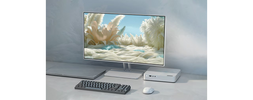
Lenovo Legion Gaming Monitors Compared: Which 27" Model Is Right for You?
, by Admin Account, 5 min reading time
, by Admin Account, 5 min reading time
Lenovo Legion Series
Which 27" Model Is Right for You?
Purchasing a gaming monitor is more than about screen size or refresh rate. Lenovo highlights the key attributes to consider when shopping for a 27-inch gaming monitor: resolution, panel type, response time, connectivity options, and display calibration. Gamers deserve a display that suits their gaming style, hardware, and daily needs.
A 27" monitor strikes a great balance between screen real estate and desk space. Lenovo notes this size works well for gaming while still leaving room for productivity, creative work, and multitasking. 1440p and 4K resolutions are common in 27-inch models, giving users the benefit of sharp visuals and more on-screen information.

Resolution is one of the most important factors when comparing gaming monitors. Higher resolutions such as 1440p and 4K are popular for 27-inch screens, delivering sharper images and crisper text, according to Lenovo. The right choice depends on viewing distance, desired visual quality, and how well your GPU can handle the resolution.
Refresh rate determines how often the monitor updates the image per second, while response time measures how fast each pixel transitions between states. A high refresh rate makes fast-paced gameplay appear smoother, and lower response times reduce ghosting during rapid motion. Gamers should evaluate both metrics together — not in isolation.
Panel technology influences color accuracy, response characteristics, and viewing consistency. Common panel types include IPS, TN, and VA — each with distinct strengths, according to Lenovo. IPS delivers consistent color accuracy and wide viewing angles. TN offers the fastest pixel response times, ideal for competitive gaming. VA provides deep contrast ratios and rich color depth. The best choice is subjective and depends on your priorities.
A gaming monitor should work seamlessly with your PC, console, and peripherals. Lenovo recommends verifying available ports — HDMI, DisplayPort, and USB-C — along with the supported resolution and refresh rate per connection. Matching the monitor's capabilities with your hardware ensures you get the full benefit of the display.
The best Lenovo Legion gaming monitor depends on what matters most to you. Immersive gamers may prioritize resolution, while competitive players will focus on refresh rate and response time. Content creators and professionals may value color accuracy, ergonomic stands, and versatile connectivity.
Beyond core specs, features like HDR support, adaptive sync (G-Sync / FreeSync), adjustable stands, ultra-thin bezels, and VESA mount compatibility can significantly enhance your overall experience. Lenovo recommends evaluating these alongside primary display specifications.
Is 27" a good size for gaming?
Yes. A 27-inch screen offers an excellent balance of immersive screen space, visual clarity, and practical desk footprint. It's a versatile size that works equally well for gaming, productivity, and creative tasks.
What should I check before buying a gaming monitor?
Evaluate resolution, refresh rate, response time, panel type, connectivity options, hardware compatibility, ergonomic adjustability, and available desk space. These factors together ensure the monitor is optimized for both gaming and everyday use.
The best Lenovo Legion gaming monitor comes down to matching specifications with your personal needs. Rather than focusing on a single spec like refresh rate or screen size, consider the full picture — resolution, panel technology, response time, connectivity, and ergonomics. By weighing all these elements, you can choose a 27-inch monitor that delivers the ideal balance of performance, visual quality, and everyday usability.


Subscribe to our emails