
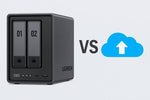
As businesses generate more digital data, choosing the right storage solution has become increasingly important. From business documents and customer information to project files and backups, organizations need a storage system that is secure, reliable, and easily accessible. Two of the most common options are Network Attached Storage (NAS) and cloud storage. While both provide valuable storage capabilities, they serve different business needs. Understanding their differences can help organizations select the solution that best supports their operations and future growth.
What Is NAS Storage?
Network Attached Storage (NAS) is a dedicated storage device connected to a business network. It allows multiple employees to securely access, store, and share files from a centralized location within the organization.
Unlike storing files on individual computers, NAS creates a single repository for business data, making file management, collaboration, and backup much more efficient.
What Is Cloud Storage?
Cloud storage allows businesses to store data on remote servers managed by a cloud service provider. Employees can access files through an internet connection virtually anywhere, making cloud storage particularly useful for remote work and multi-location businesses.
Cloud platforms also eliminate the need for organizations to maintain physical storage infrastructure on-site.
Comparing NAS and Cloud Storage
>Ongoing cost >Remote access >Scalability| Aspect | NAS | Cloud Storage |
|---|---|---|
| Data location | On-premises, within your network | Remote servers via internet |
| Access speed | Very fast (local network) | Depends on internet speed |
| Control | Full control over hardware and data | Managed by the provider |
| Upfront cost | Higher (hardware purchase) | Lower (subscription-based) |
| Lower after initial purchase | Continues as long as you subscribe | |
| Via VPN configuration | Available by default | |
| Add more drives as needed | Scale instantly |
Which Solution Is Better for Your Business?
- NAS - best for organizations that require fast access to large volumes of data, prefer local control, or work primarily from a single office
- Cloud - better for businesses with remote teams, multiple office locations, or growing cloud-based operations
Many organizations now adopt a hybrid approach by combining NAS with cloud storage. This allows frequently used files to remain on local storage while cloud services provide remote access, disaster recovery, and off-site backup protection.
Security and Data Protection
Protecting business data is a critical priority regardless of the storage solution chosen. NAS systems provide businesses with direct control over user permissions, backup policies, and network security. Cloud providers, meanwhile, invest heavily in encryption, redundancy, and security monitoring to help safeguard customer data.
Implementing proper backup strategies, access controls, and cybersecurity practices remains essential for both storage options.
How IT Gallery Helps Businesses Choose the Right Storage Solution
Every organization has unique storage requirements. IT Gallery helps businesses evaluate their operational needs and implement storage solutions that balance performance, security, scalability, and cost. Whether deploying NAS systems, integrating cloud storage, or designing hybrid storage environments, IT Gallery provides professional guidance and ongoing support to help organizations protect their valuable business data.
Final Thoughts
Both NAS and cloud storage offer valuable benefits, and neither solution is universally better than the other. The best choice depends on your business requirements, workforce, budget, and long-term technology strategy. By carefully evaluating their storage needs and selecting the right solution or combining both through a hybrid approach, businesses can improve collaboration, protect valuable data, and support future growth. With expert advice from IT Gallery, organizations can implement storage solutions that deliver reliability, security, and long-term value.
Frequently Asked Questions
Is cloud storage better for remote work?
Yes. Cloud storage allows employees to securely access files from virtually anywhere with an internet connection, making it well suited for hybrid and remote workplaces.
Can businesses use both NAS and cloud storage together?
Yes. Many organizations implement hybrid storage solutions that combine local NAS performance with the flexibility and backup capabilities of cloud storage.
How can IT Gallery help with business storage solutions?
IT Gallery helps businesses assess storage requirements, recommend suitable NAS or cloud solutions, deploy secure storage infrastructure, and provide ongoing technical support.


