








One Reused Password, Many Risks: Build Safer Login Habits
, by Josh Abel, 9 min reading time

Trusted technology for a more connected, productive tomorrow.
Find help with warranties, genuine products and delivery.
Check your warranty status and submit a claim.
AuthenticityCheck Genuine ProductVerify your product is genuine using its serial number.
DeliveryIsland-wide DeliveryExplore delivery options across Sri Lanka.
Helpdesk & RMASupport CentreGet help with products, orders and RMA.
Find products from our technology partners.
Choose the partnership that fits your business.
Our story, our people and the journey ahead.

, by Josh Abel, 9 min reading time
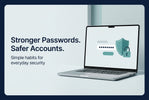
One reused password can put multiple accounts at risk. Learn five practical habits for safer logins, from unique passphrases and MFA to password managers and spotting phishing attempts.
Almost everything we do online requires an account. Each one holds information that needs protection, and a password is usually the first barrier. But using a password isn't enough — weak ones, reused logins, and careless sharing put both personal and business accounts at risk.
A password is the first barrier — but using one isn't the same as using a good one. Weak passwords, reused logins, and credentials handed to scammers account for most account takeovers. The habits below are simple, but they change the math considerably.
Simple passwords may be easy to remember, but they can also be easier for cybercriminals to guess or crack. Common choices such as names, birthdays, familiar words and predictable number combinations can expose accounts to unnecessary risks. Information shared publicly on social media may also help attackers make educated guesses.
Password-related attacks do not always involve someone manually guessing login details. Cybercriminals may use automated tools or stolen credentials from previous data breaches to attempt access to other accounts. This is why password security should be treated as an everyday digital safety practice.
A strong password should be difficult for others to guess and unique to the account it protects. One practical approach is to use a passphrase made up of several unrelated words. A longer phrase can be easier to remember while providing better protection than a short, predictable combination. Avoid using personal information, familiar quotations or predictable patterns.
Using the same password for multiple accounts may seem convenient, especially when managing many online services. However, it creates a significant security weakness. If one website experiences a data breach and your password is exposed, attackers may try those same credentials on your email, social media, shopping and other accounts.
A strong password provides an important layer of protection, but adding another verification step makes account access more secure. Multi-Factor Authentication (MFA) requires users to confirm their identity through an additional method, such as an authenticator app, security key or verification prompt. Enable MFA wherever it is available, particularly for email, banking, cloud storage and business accounts.
Remembering a different, strong password for every account can become difficult. A trusted password manager helps solve this problem by securely storing login details and generating unique passwords when needed. Instead of memorising dozens of passwords, you generally need to remember only the manager's main password or use its supported authentication method.
Even a strong password cannot protect an account if you voluntarily give it to a scammer. Phishing messages often imitate trusted organisations and encourage users to click suspicious links, open unexpected attachments or enter login details on fake websites. Be careful with unexpected password-reset messages, urgent account warnings and requests for confidential information.
If you suspect that a password has been exposed, change it immediately through the official website or application. If you have reused that password elsewhere, update those accounts too, giving priority to your email, banking and other important services. Enable MFA and review recent login activity for unfamiliar devices or locations.
Seven habits that decide whether your accounts hold. Save this list and share it with your team.
You do not necessarily need to change every password on a fixed schedule. Change it immediately if you suspect it has been exposed, reused in a compromised account or accessed without permission. Follow any additional requirements set by your organisation.
A strong password is long, unique and difficult to predict. A memorable passphrase of several unrelated words, or a randomly generated password stored in a password manager, can both be effective when used correctly.
A reputable password manager can improve security by generating and storing unique passwords. Protect its main account with a strong password and MFA, and choose a provider with appropriate security features. The risk of one well-protected vault is far smaller than the risk of dozens of reused passwords.
Yes. MFA adds another layer of protection beyond your password. It can help prevent unauthorised access even when someone has obtained your login credentials — which is exactly the scenario where a password alone has already failed.
Password security is not about creating complicated rules that are difficult to follow. It is about building practical habits that protect your information every day. Using unique passwords, enabling MFA, choosing a trusted password manager and staying alert to phishing attempts can significantly strengthen your online security.
For individuals and businesses in Sri Lanka, these simple practices are an important part of responsible technology use. At IT Gallery, we believe that understanding your technology and using it securely go hand in hand. A few better password habits today can help protect your digital activities tomorrow.
Run through the seven-point checklist above, then share it with your team — most account takeovers start with one reused password.


Subscribe to our emails
Free keyboard & mouse, up to 10% off, Rs 1,000 vouchers and free delivery. One spin per person.