

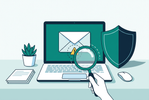
Phishing Emails 101: How to Spot and Avoid Them
, by Rukxi Team, 16 min reading time

Trusted technology for a more connected, productive tomorrow.
Find help with warranties, delivery and special orders.
Browse products from our technology partners.








Choose the partnership that fits your business.
Our story, our people and the journey ahead.

, by Rukxi Team, 16 min reading time
Learn seven warning signs of phishing, how to verify suspicious emails safely, and what to do after clicking a link or sharing sensitive information.
An email arrives claiming your bank account needs verification, a parcel can't be delivered, or your password is about to expire. It looks convincing. Before you click, here's how to tell a genuine message from a trap — and what to do if you've already clicked.
A single careless click can expose personal accounts or compromise an entire business. Phishing emails rely on trust, urgency, and convincing formatting — not technical exploits. Recognising them is an everyday habit, not a one-time training exercise.
A phishing email is a fraudulent message designed to persuade the recipient to take an action that benefits a cybercriminal. Attackers may pretend to represent a bank, delivery company, government organisation, online service provider or even the recipient's employer. The message may ask you to verify account details, reset a password, download an invoice or approve a payment.
Some emails direct recipients to fake login pages that collect passwords, while others contain attachments that may install malicious software. Phishing attacks can target large groups of people or specific individuals and businesses. In targeted attacks, criminals may use details about an employee, supplier or ongoing business transaction to make their messages appear more believable.
Always check the full sender address, not just the display name shown in your inbox. A message may appear to come from a bank or familiar company while using a slightly altered domain or an unrelated email address. For example, a fraudulent message might use a domain that resembles a legitimate business name but contains an extra word, different spelling or unusual ending.
Phishing messages often pressure recipients to act quickly. They may claim that an account will be suspended, a payment will fail or access will be restricted unless the recipient responds immediately. This urgency is intended to reduce the time available for careful checking. An email may also promise a reward or warn about an unexpected charge to encourage an emotional response.
A link may display the name of a familiar website while directing you to a different destination. Attackers can use misspelled domains, misleading subdomains and shortened links to disguise where a link leads. On a computer, you can often hover over a link to inspect its destination before opening it. On a mobile device, use the link-preview feature where available, but avoid opening anything you cannot verify.
Invoices, receipts, delivery notices and office documents are common themes used to make malicious attachments look ordinary. An unexpected file may contain harmful software or attempt to persuade you to enable unsafe features. Be particularly cautious about attachments you were not expecting, even if the sender's name looks familiar.
Legitimate services generally do not need you to disclose your password or one-time verification code through an email reply. Phishing messages may ask for login credentials, banking information, identity details or other confidential data. Attackers may also impersonate an IT administrator and claim they need your password to fix an account problem.
Businesses should be especially careful with messages requesting urgent payments, supplier bank-detail changes or transfers to a new account. Criminals may impersonate executives, suppliers or finance staff to redirect legitimate payments. Even a message within an existing email conversation may be fraudulent if an account has been compromised.
Some phishing messages contain unusual greetings, incorrect company details, unexpected requests or inconsistencies between the sender, subject line and message. These details can help identify a suspicious email. However, poor grammar is not a reliable test by itself — modern phishing messages can be polished and personalised.
Four scenarios that appear regularly in inboxes, and what to do for each. The pattern is always the same: the message creates urgency, then offers a link or attachment as the solution.
When an email feels unusual, take a moment to examine it before responding. Check the sender's full address, consider whether the message was expected and review the requested action carefully. Inspect links without opening them, and avoid downloading unexpected attachments.
Clicking a suspicious link does not always mean your device or account has been compromised, but you should respond carefully. The next steps depend on whether you only opened a page, downloaded a file or shared sensitive information.
Five layers that, together, reduce both the likelihood and the impact of a phishing incident. No single layer catches every message — the goal is to make it harder to click and easier to recover.
Employees should understand common phishing tactics and know how to report suspicious messages. Training can use realistic examples involving fake invoices, password resets, supplier requests and impersonation attempts. Short, regular reminders can help staff build safer habits without making cybersecurity training unnecessarily complicated. Employees should also know that reporting a suspicious message is encouraged, even when they are unsure whether it is malicious.
Email filtering can help detect and block suspicious messages, while endpoint security software can help protect devices against certain malicious files and activities. These tools provide valuable layers of defence, but no single product catches every phishing attempt. Businesses should keep security software updated and configure email protections appropriately — and ensure employees know how to report messages that reach their inbox despite these controls.
Multi-factor authentication adds another verification step when someone signs in. It can reduce the risk of account compromise when a password is stolen, although it does not eliminate every threat. Businesses should prioritise important email, administrator and financial accounts. Employees should never approve an unexpected sign-in request or share a one-time authentication code with someone who contacts them by email or phone.
Security updates help address known weaknesses in operating systems, browsers, applications and other software. Businesses should establish a regular update process rather than leaving important devices unpatched indefinitely. Updates work best as part of a broader security approach that includes reliable backups, appropriate access controls and clear incident-reporting procedures. Employees should also avoid installing unapproved applications or disabling security protections to complete an unexpected request.
Employees need to know exactly how to report suspected phishing. Depending on the organisation, this might involve an email-reporting button, a dedicated IT address or an established support process. A quick reporting process allows the organisation to investigate messages, warn other employees and take action where necessary. Businesses should also explain what employees should do if they accidentally click a link or share information, so that incidents can be reported promptly without fear of blame.
Seven habits that catch most phishing emails. Save this list and share it with your team.
Start by checking the full sender address, unexpected requests, suspicious links and unusual pressure to act quickly. Verify important requests independently rather than relying on the email's appearance, since convincing phishing messages may contain few obvious mistakes.
Yes. Attackers can imitate real organisations, use convincing branding and write polished messages. Some also use compromised accounts or personal information to make their emails more believable. Always verify unexpected requests involving credentials, payments or sensitive data.
No. Antivirus and email security tools can block or detect many threats, but some phishing messages may still reach the inbox. Users should combine security software with careful verification, multi-factor authentication, software updates and a clear reporting process.
Do not click links, open unexpected attachments or reply with sensitive information. Report the message through your organisation's approved security or IT support process. If you have already interacted with it, explain exactly what happened so the team can respond appropriately.
Phishing emails often rely on trust, urgency and convincing messages to persuade people to take unsafe actions. Recognising suspicious sender addresses, checking links carefully and verifying unexpected requests can help individuals and businesses avoid common traps. For Sri Lankan businesses, phishing awareness should be part of everyday cybersecurity rather than a one-time training exercise.
Email filtering, antivirus protection, multi-factor authentication, regular updates and clear reporting procedures all contribute to a stronger defence. The most important habit is simple: pause before acting on an unexpected email. When a message requests money, passwords or sensitive information, verify it through a trusted channel before proceeding.
Don't click — report it through your organisation's process, then share this checklist with someone who needs it.


Subscribe to our emails